

Product Scraper for WooCommerce Free
0,00 €
Import a product into your WooCommerce store from any product page link, in seconds.
Description
Import a product into your WooCommerce store from any product page link, in seconds.
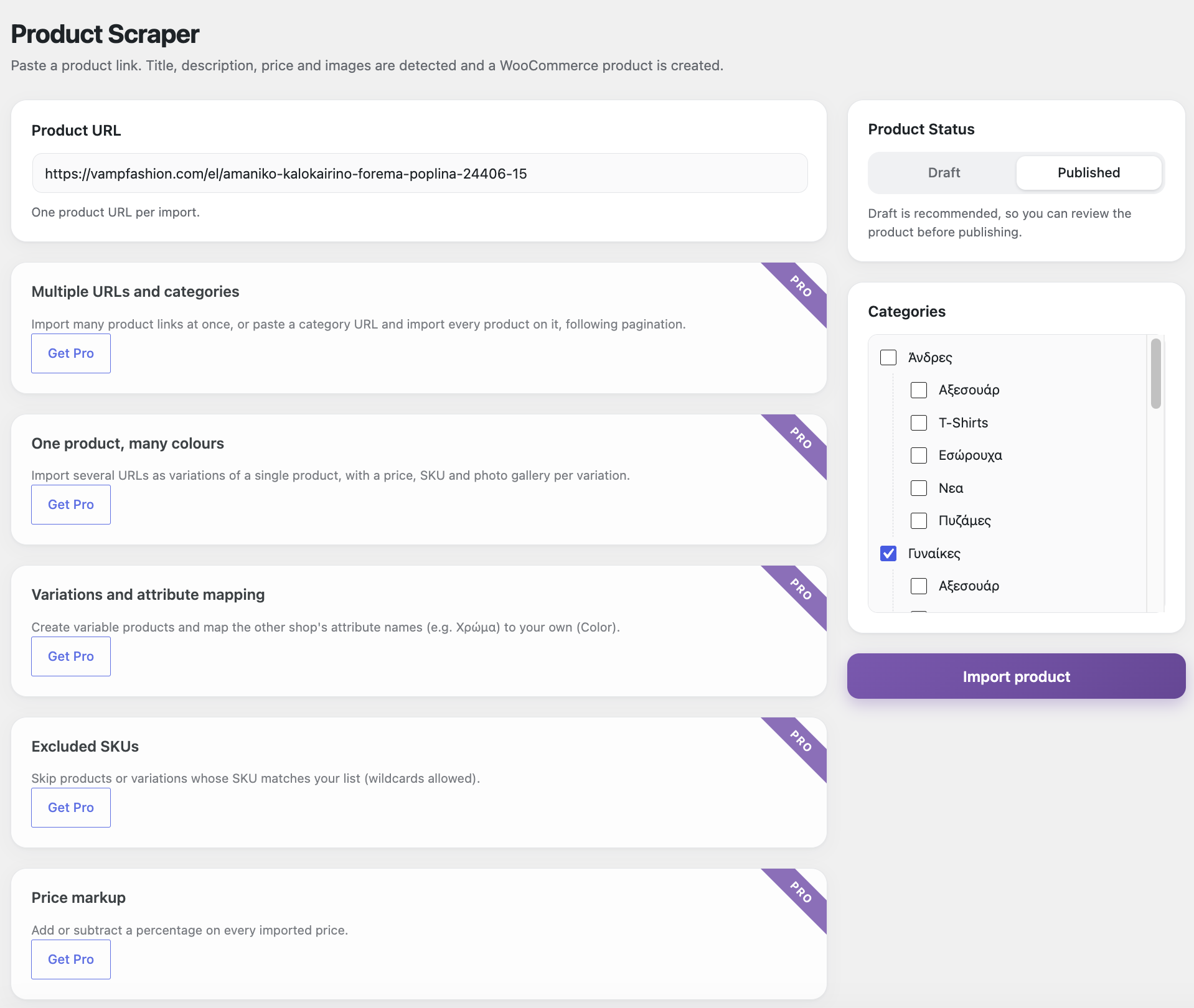
Paste a product URL and Product Scraper reads the page, detects the product data and creates a ready-to-review WooCommerce product. There is no manual copying and pasting of titles, descriptions, prices or photos.
What it does
– Detects the title. You get the clean product name, with the shop’s name trimmed off.
– Imports the description. It brings in the full description and the short description, with every URL removed from the text.
– Finds the price. It reads the price from the page’s structured data, WooCommerce markup or price tags, and prefers the sale price when there is one.
– Downloads the images. The main image and up to 8 gallery images go into your Media Library.
– Names images for SEO. Each file and title becomes yoursite-product-title, using your own site name and never the source shop’s, and the alt text is set to the product title.
– Reads the SKU, when the page provides one.
– Handles Greek and other non-UTF-8 pages. Pages in encodings such as ISO-8859-7 are converted correctly, so titles and descriptions come through intact.
Simple and safe
– Draft or Published. Draft is recommended, so you can review each product first.
– Categories. You pick them from the same category tree used on the WooCommerce product page.
– No accidental publishing. If no price is found, the product is saved as a Draft even if you chose Published.
– No duplicates. A URL you already imported is skipped, and you get a link to the existing product.
– robots.txt respected. Pages a site disallows for automated access are not imported.
– Clear results. Every import ends with a success message, a warning or the reason it failed, plus a link to edit the new product.
Free vs Pro
| Title | Free | Pro |
|---|---|---|
| Import a product from a URL | ✔ | ✔ |
| Title, description, price, SKU, images | ✔ | ✔ |
| Draft / Published and categories | ✔ | ✔ |
| Title, description, price, SKU, images | ✔ | ✔ |
| Multiple URLs at once | x | ✔ |
| Whole category import (with pagination) | x | ✔ |
| One product, many colours (variations) | x | ✔ |
| Variation attribute mapping | x | ✔ |
| Excluded SKUs | x | ✔ |
| Price markup (±%) | x | ✔ |
Need more? Get the Pro version at https://woo-scrapper.com/.
Requirements
– WordPress 5.8 or newer (tested up to 7.1)
– WooCommerce 6.0 or newer
– PHP 7.4 or newer
Installation
1. Go to Plugins → Add New → Upload Plugin and upload the .zip file.
2. Activate the plugin (WooCommerce must be active).
3. Open WooCommerce → Product Scraper, paste a product URL and click Import product.
Good to know
– Pages that load their product data only with JavaScript, and sites with active bot protection, cannot be read. The plugin tells you when this is the case.
– Large marketplaces such as Amazon, eBay, Skroutz and Shopflix run this kind of protection and can’t be scraped.
– Only import content from pages you have the right to use, such as your own eshops, a supplier or a licensed partner. Copying content from other shops without permission may infringe copyright or their terms of use, and responsibility lies with the user.
Version 1.0.0 · License GPL v2 or later · By Infinity Web
Only logged in customers who have purchased this product may leave a review.

Reviews
There are no reviews yet.